strada

Log in

Sign up for free

strada

Log in

Stop uploading.

Stop uploading.

Start creating.

Start creating.

Direct access to the drives you already own.

No uploads, no cloud storage bills, nothing out of reach.

Direct access to the drives you already own.

No uploads, no cloud storage bills, nothing out of reach.

Stop uploading.

Start creating.

Direct access to the drives you already own.

No uploads, no cloud storage bills, nothing out of reach.

An image of Freelio's project ui

01

THE PROBLEM

00:00:10:00

The cloud wasn’t built for creators.

The cloud wasn’t built for creators.

The cloud wasn’t built for creators.

STORAGE FULL

Your storage is always full.

Cloud plans fill up, then charge you again every month for footage you already own.

Cloud plans fill up, then charge you again every month for footage you already own.

2 TB of 2 TB used

Renews monthly

6H 12M LEFT

Your editor is waiting on you.

Nothing starts until you’ve uploaded and they’ve downloaded.

Nothing starts until you’ve uploaded and they’ve downloaded.

Uploading LIS_A012 · 212 GB

34%

M

Michael · waiting to download

OUT OF REACH

The cloud only holds a sliver.

Just what you uploaded. The rest of your archive is out of reach.

Just what you uploaded. The rest of your archive is out of reach.

IN THE CLOUD

EVERYTHING ELSE YOU’VE SHOT

02

HOW IT WORKS

00:00:20:00

Working in minutes.

Working in minutes.

Working in minutes.

Three steps, and your editor is cutting from your drive.

Three steps, and your editor is cutting from your drive.

Three steps, and your editor is cutting from your drive.

Strada Finder · Add location

DRIVES FOUND ON STUDIO MAC MINI

Shoots RAID

16 TB · Thunderbolt

B-Roll Archive

8 TB · USB-C

Studio NAS

40 TB · Network

FX3 Card

256 GB · Card reader

Invite to “Lisbon Food Tour”

M

michael@michaelcuts.com

Role

Edit

Send invite

SHOOTS RAID

Lisbon Food Tour

Shared with Michael

Tokyo Night Market

Private

Sponsor Deliverables

Private

B-Roll Archive

Private

Michael’s MacBook Pro · Finder

Locations

Macintosh HD

Lisbon Food Tour

Downloads

LIS_A012_C001.mov

LIS_A012_C004.mov

LIS_A013_C002.mov

LIS_B004_C015.mov

Drag clips into Premiere, Resolve or Final Cut

Michael’s MacBook Pro · Finder

Locations

Macintosh HD

Lisbon Food Tour

Downloads

LIS_A012_C001.mov

LIS_A012_C004.mov

LIS_A013_C002.mov

LIS_B004_C015.mov

Drag clips into Premiere, Resolve or Final Cut

01 — CONNECT

Connect your drive.

Connect your drive.

Connect your drive.

Any drive you already use: hard drive, RAID, NAS, even a card reader.

Any drive you already use: hard drive, RAID, NAS, even a card reader.

Any drive you already use: hard drive, RAID, NAS, even a card reader.

02 — INVITE

Invite your editor.

Invite your editor.

Invite your editor.

Share one folder by email. Everything else on the drive stays private.

Share one folder by email. Everything else on the drive stays private.

Share one folder by email. Everything else on the drive stays private.

03 — EDIT

They edit like it’s on their desk.

They edit like it’s on their desk.

They edit like it’s on their desk.

The folder appears in their Finder, and they drag clips straight into Premiere, Resolve or Final Cut.

The folder appears in their Finder, and they drag clips straight into Premiere, Resolve or Final Cut.

The folder appears in their Finder, and they drag clips straight into Premiere, Resolve or Final Cut.

03

YOUR WORKFLOW, BOOSTED

00:00:30:00

From shoot to post, without the upload.

From shoot to post, without the upload.

From shoot to post, without the upload.

00:00:00:00

00:00:12:00

00:00:24:00

00:00:36:00

00:00:48:00

00:01:00:00

00:01:12:00

01 — SHOOT

Your editor starts while you’re still shooting.

Cameras that record proxies alongside originals (Sony FX3, Fujifilm X-H2S, Canon C50, Panasonic Lumix, iPhone with the Blackmagic Camera app) give your editor lightweight files as soon as they land on your drive.

In-camera proxy workflow

01 · SHOOT

00:00:00:00 — 00:00:12:00

Sony FX3 · Card A014

Copying to Shoots RAID

FILE

FORMAT

SIZE

A014_C003.MP4

4K 10-bit

18.2 GB

62%

A014_C003_Proxy.MP4

1080p proxy

410 MB

Ready to cut

Ready

A014_C004.MP4

4K 10-bit

22.7 GB

Queued

A014_C004_Proxy.MP4

1080p proxy

506 MB

Ready to cut

Ready

M

Michael is cutting the proxies

Live

02 — OFFLOAD

Phone to edit bay, no cable.

Send footage from your phone straight to the machine that’s going to cut it.

Strada Mobile + Transfer

Basic and up

02 · OFFLOAD

00:00:12:00 — 00:00:24:00

24.6 GB · 3 clips

4 SECONDS REMAINING

Your iPhone

Your iPhone

SOURCE

Michael’s Mac Studio

Michael’s Mac Studio

EDIT BAY

15.7 GB copied of 24.6

64%

NO CABLE

NO CARD READER

NO UPLOAD QUEUE

03 — EDIT

Your editor works in place.

They cut with proxies over a normal internet connection, then relink and export at the source.

Strada Connect

Basic and up

03 · EDIT

00:00:24:00 — 00:00:36:00

Strada › Studio Mac mini › Shoots RAID

Proxies

00:00:48:02

1080p PROXY

V1

A1

A2

Cutting over a normal internet connection

Relink & export at source

04 — REVIEW

Notes on the footage, not in your DMs.

Timecoded comments and drawn annotations on desktop or phone. No Slack, no email, no screenshots.

Commenting is free

Private comments: Basic and up

04 · REVIEW

00:00:36:00 — 00:00:48:00

00:02:14:08

COMMENTS

M

Michael

2m

00:02:14:08

Punch in here, the product’s hard to see.

Y

You

now

00:02:31:16

Private

Love this take. Keep the laugh in.

05 — COLLABORATE

Get files from anyone with a link.

Guests, collaborators and brand partners upload straight to your drive with no account, and they can’t see anything else in the folder.

Upload Links

Pro

05 · COLLABORATE

00:00:48:00 — 00:01:00:00

Upload link · Sponsor assets

Shoots RAID › Brand Deals › Upload here

Copy link

Copy

brand_logo_pack.zip

1.2 GB · Maya · Brand partner

On your drive

Done

product_broll_01.mov

8.4 GB · Maya · Brand partner

72%

voiceover_final.wav

310 MB · Guest · No account

On your drive

Done

thumbnail_options.psd

640 MB · Sam · Collaborator

18%

No account needed

Can’t see the folder

Straight to your drive

06 — ARCHIVE

Your whole back catalogue, within reach.

Years of footage stay on your own drives, reachable from anywhere. Pin what you reuse often.

06 · ARCHIVE

00:01:00:00 — 00:01:12:00

drone coastline

ALL DRIVES

Shoots RAID

Studio Mac mini

16.0 TB

Archive 2024

Studio Mac mini

21.6 TB

Archive 2021–2023

Studio Mac mini

38.1 TB

Archive 2017–2020

Studio Mac mini

42.8 TB

B-Roll Library

Pinned to Michael’s MacBook

9.4 TB

128 TB on your own drives · reachable from anywhere

128 TB on your own drives

07 — DELIVER

Final cut, anywhere it needs to go.

Transfer finals peer-to-peer to any device, or download to your phone and post from the share sheet.

07 · DELIVER

00:01:12:00 — 00:01:24:00

Lisbon_Food_Tour_FINAL.mov

Michael’s Mac Studio

Your iPhone

Transfer complete · 14.2 GB

Lisbon_Food_Tour_FINAL

Video · 4K

YouTube

Instagram

TikTok

Threads

Files

04

CONTROL

00:00:40:00

Your footage stays yours.

Your footage stays yours.

Your footage stays yours.

01

Share only what you choose

Share “Lisbon Food Tour”

ONLY THIS FOLDER

sam@studiosam.co

EDIT

Invite

M

Michael

michael@michaelcuts.com

EDIT

M

Maya

maya@brand.co

DOWNLOAD

02

Remove access instantly

M

Michael

EDIT ACCESS

Remove

Michael’s access removed

NOW

03

Nothing outside shared folders is accessible

Lisbon Food Tour

Tokyo Night Market

Sponsor Deliverables

B-Roll Archive

04

Know exactly where your media is

Shoots RAID

16 TB

Studio Mac mini › Shoots RAID

05

No external AI training

Model training request

2M AGO

BLOCKED

Dataset crawler

1H AGO

BLOCKED

External AI training

OFF
05

PROOF

00:00:50:00

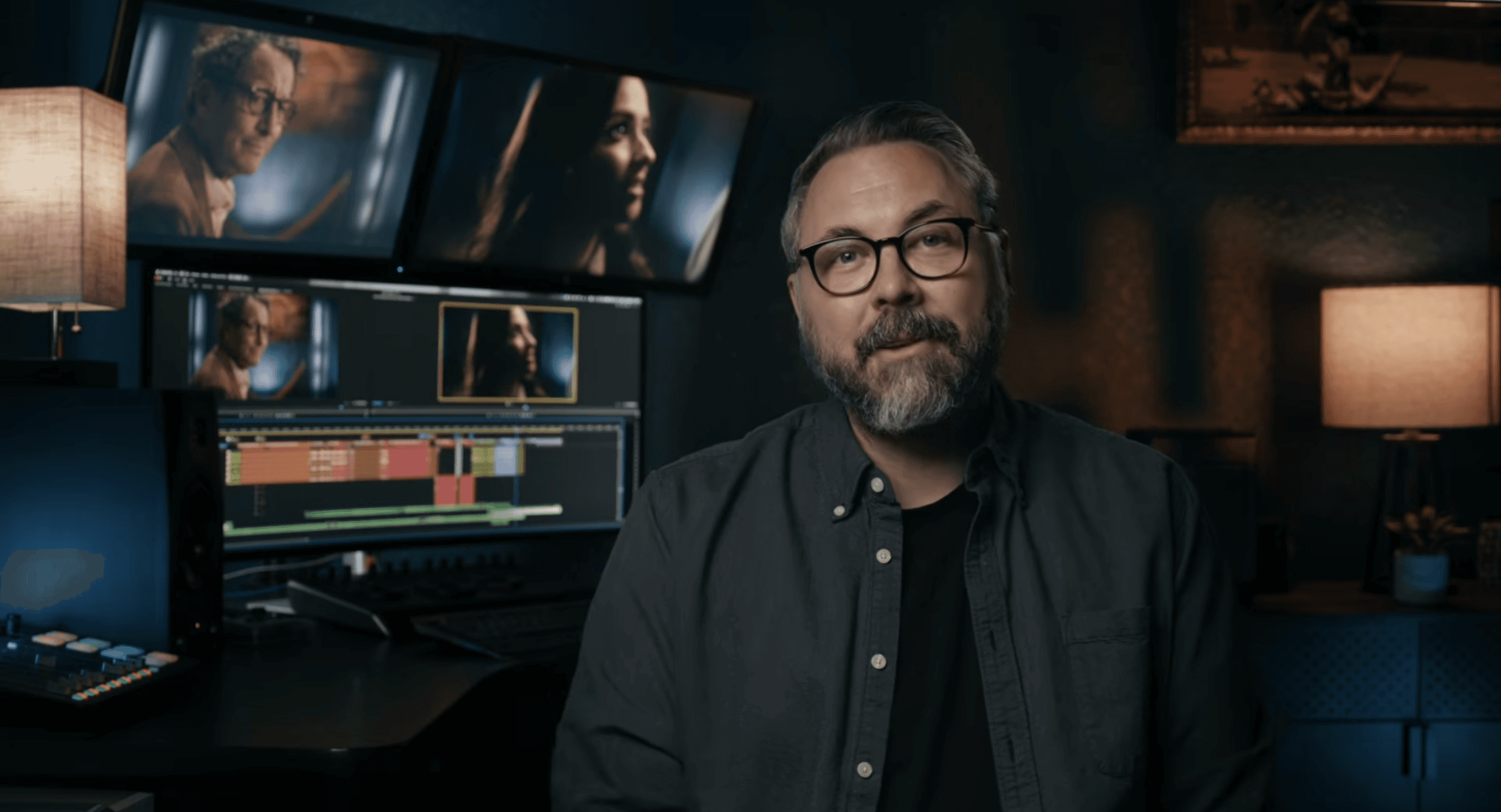
Ryan Connolly in his edit bay

FILM RIOT · CASE STUDY

“It felt like I was working off a drive connected directly to my local system. It just played like local footage.”

Ryan Connolly

Film Riot

Watch the case study

EDITED IN

Premiere Pro

Premiere Pro

Premiere Pro

TEAM

1,500 miles apart

1,500 miles apart

1,500 miles apart

SOURCE MEDIA

7 TB

7 TB

7 TB

CONNECTION

Home internet

Home internet

Home internet

Markiplier with Strada’s founders

Backed by Markiplier.

Backed by Markiplier.

06

WHAT YOU NEED

00:01:00:00

The Strada setup.

The Strada setup.

The Strada setup.

Keep your drives where they are. One always-on machine shares them, and your editor connects from anywhere.

Keep your drives where they are. One always-on machine shares them, and your editor connects from anywhere.

Keep your drives where they are. One always-on machine shares them, and your editor connects from anywhere.

Your drives

RAID · NAS · CARD

Shoots RAID

B-Roll Archive

FX3 Card

Studio Mac mini

ALWAYS ON

01

02

ETHERNET

Anywhere

NORMAL INTERNET

Your editor

03

THEIR OWN EDITING APP

Your phone

04

IOS · ANDROID

Your drives

RAID · NAS · CARD

Shoots RAID

B-Roll Archive

FX3 Card

Studio Mac mini

ALWAYS ON

01

02

ETHERNET

Anywhere

NORMAL INTERNET

Your editor

03

THEIR OWN EDITING APP

Your phone

04

IOS · ANDROID

01 — HOST

One machine stays on: the computer with your drives. A Mac mini, Mac Studio, or a laptop with sleep turned off.

02 — WIRED

A wired connection on that machine helps most, because its upload speed sets the pace.

03 — EDITOR

Your editor keeps their app: Premiere, Resolve, Avid or Final Cut.

04 — PLATFORMS

Runs on macOS (Apple silicon), Windows 11, iPhone, iPad and Android.

07

PRICING

00:01:10:00

Control your workflow.
Control your costs.

Control your workflow.
Control your costs.

Control your workflow.
Control your costs.

Unlimited storage on every plan. You pay to connect, not to store.

Unlimited storage on every plan. You pay to connect, not to store.

Unlimited storage on every plan. You pay to connect, not to store.

Free

$0

Free forever

Review footage and comment.

Basic

$8

per user per month, billed annually

Remote editing, unlimited transfers, private comments.

Pro

Recommended

$24

per user per month, billed annually

Adds upload links and enhanced permissions.

08

FAQ

00:01:20:00

Straight answers.

Straight answers.

Straight answers.

01

Does my editor need to pay?

They sign up free. Remote editing needs a Basic license, which you can buy for them from your billing page (up to 9 teammates).

02

Does my computer have to stay on?

03

Can I edit on my phone?

04

Do I need a NAS?

05

What about 4K and RAW?

06

What if my internet isn’t great?